
How to Find Your BEP20 Wallet Address in MetaMask
Learn how to find your BEP20 wallet address in MetaMask. A simple step-by-step guide to copy your BNB Chain address for BEP20 transfers.
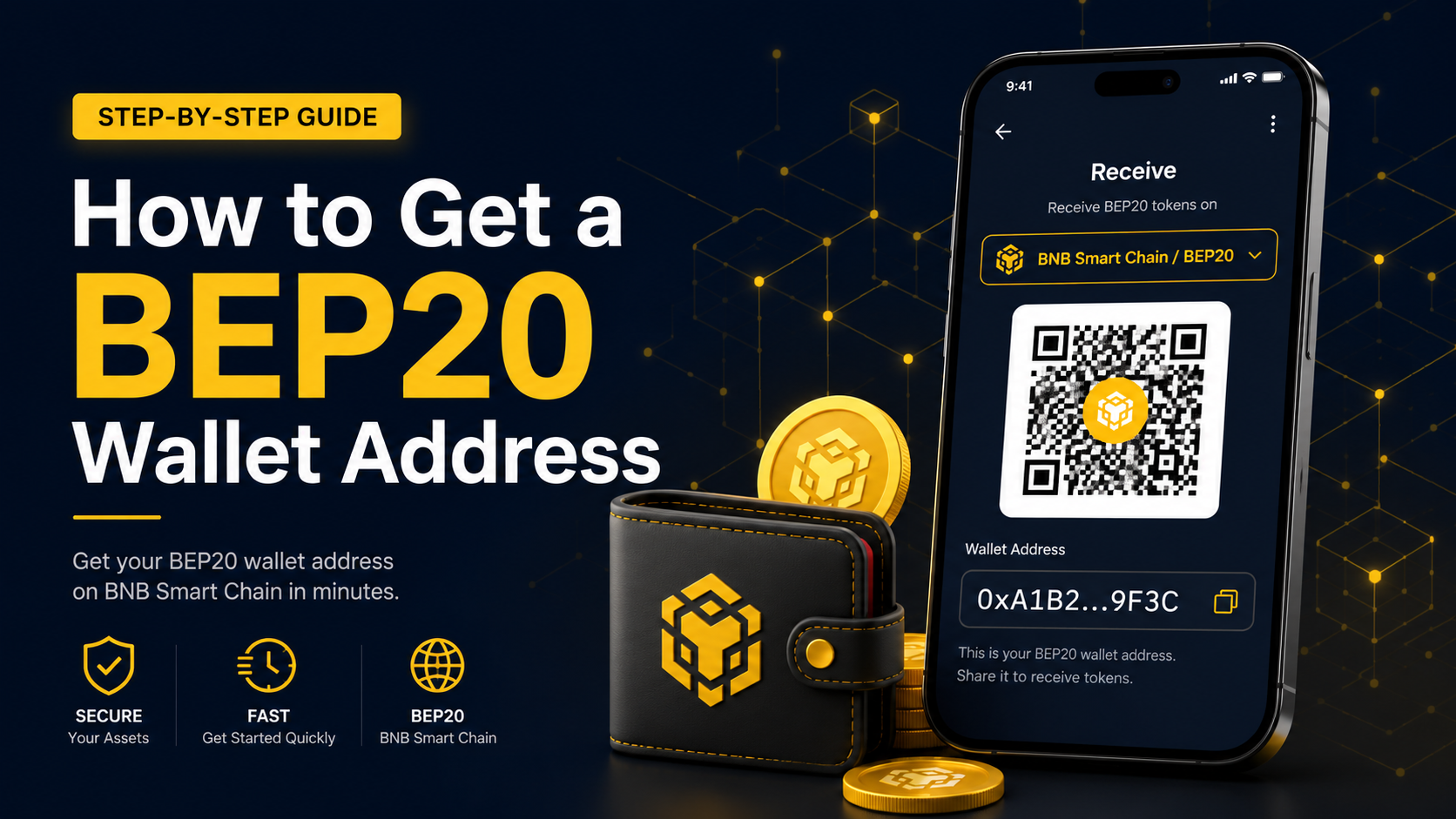
If you want to receive tokens on the BEP20 network, you need your BNB Chain wallet address.
In MetaMask, your BEP20 address is the address shown under BNB Chain.
It usually starts with 0x, just like an Ethereum address.
The important part is simple:
You must copy the BNB Chain address and make sure the sender uses the BEP20 / BNB Chain network.
This guide shows how to find your BEP20 address in MetaMask step by step.
What Is a BEP20 Address in MetaMask?
A BEP20 address is the wallet address used for transfers on BNB Chain.
In MetaMask, the same account can show different network addresses.
For BEP20 transfers, you need the address listed under BNB Chain.
This address can be used to receive BEP20 tokens such as:
- BNB
- USDT on BEP20
- BEP20-supported tokens
Before sending funds, always make sure the selected network is:
BNB Chain / BEP20
Step 1: Open MetaMask
Open your MetaMask wallet.
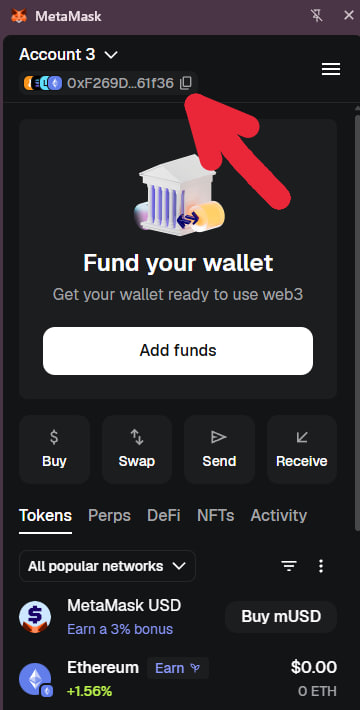
At the top of the wallet, you will see your account name and a short wallet address.
Click the short wallet address shown under your account name.
Step 2: Open the Address List
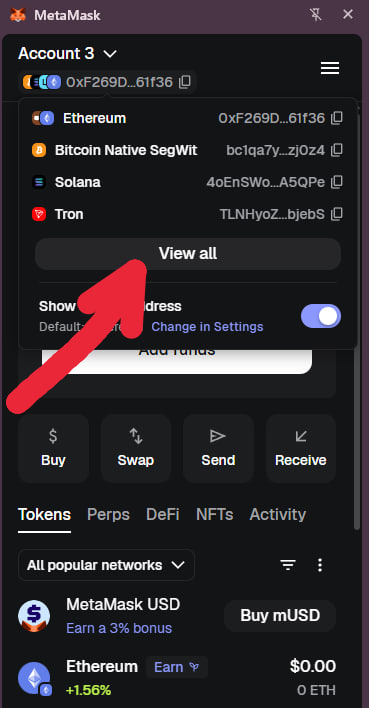
After clicking your wallet address, MetaMask will show a small list of addresses for different networks.
You may see networks such as:
- Ethereum
- Bitcoin Native SegWit
- Solana
- Tron
To see more networks, click View all.
Step 3: Search for BNB
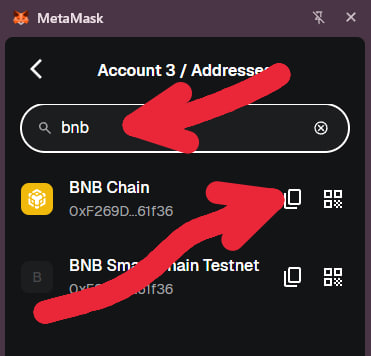
On the address list page, use the search bar.
Type:
BNB
MetaMask will show BNB Chain in the results.
Step 4: Copy Your BNB Chain Address
Next to BNB Chain, you will see a copy icon.
Click the copy icon.
This is your BEP20 wallet address.
You can now use this address to receive tokens on the BEP20 network.
How to Use This Address Correctly
After copying your BNB Chain address, use it only when the sending network is:
BNB Chain / BEP20
For example, if someone is sending you USDT, they must choose the BEP20 network before sending.
If the sender chooses another network, the transfer may not arrive correctly.
Important Reminder
Your BEP20 address may look similar to your Ethereum address because both usually start with 0x.
But the network matters.
For BEP20 transfers:
- Address: Your MetaMask BNB Chain address
- Network: BNB Chain / BEP20
Both must be correct.
Quick Summary
To find your BEP20 address in MetaMask:
- Open MetaMask
- Click your short wallet address at the top
- Click View all
- Search for BNB
- Copy the address next to BNB Chain
That copied address is your BEP20 wallet address.
Use it only for transfers sent through the BNB Chain / BEP20 network.
Related guides
Further Reading
- How to Register on WEEX, Complete KYC, Find Your UID, and Submit It on RefRewardGuides / Updated Jun 23, 2026