
How to Register on WEEX, Complete KYC, Find Your UID, and Submit It on RefReward
Learn how to register on WEEX through RefReward, complete KYC, find your WEEX UID, submit your UID and BEP20 wallet, and track your rewards.
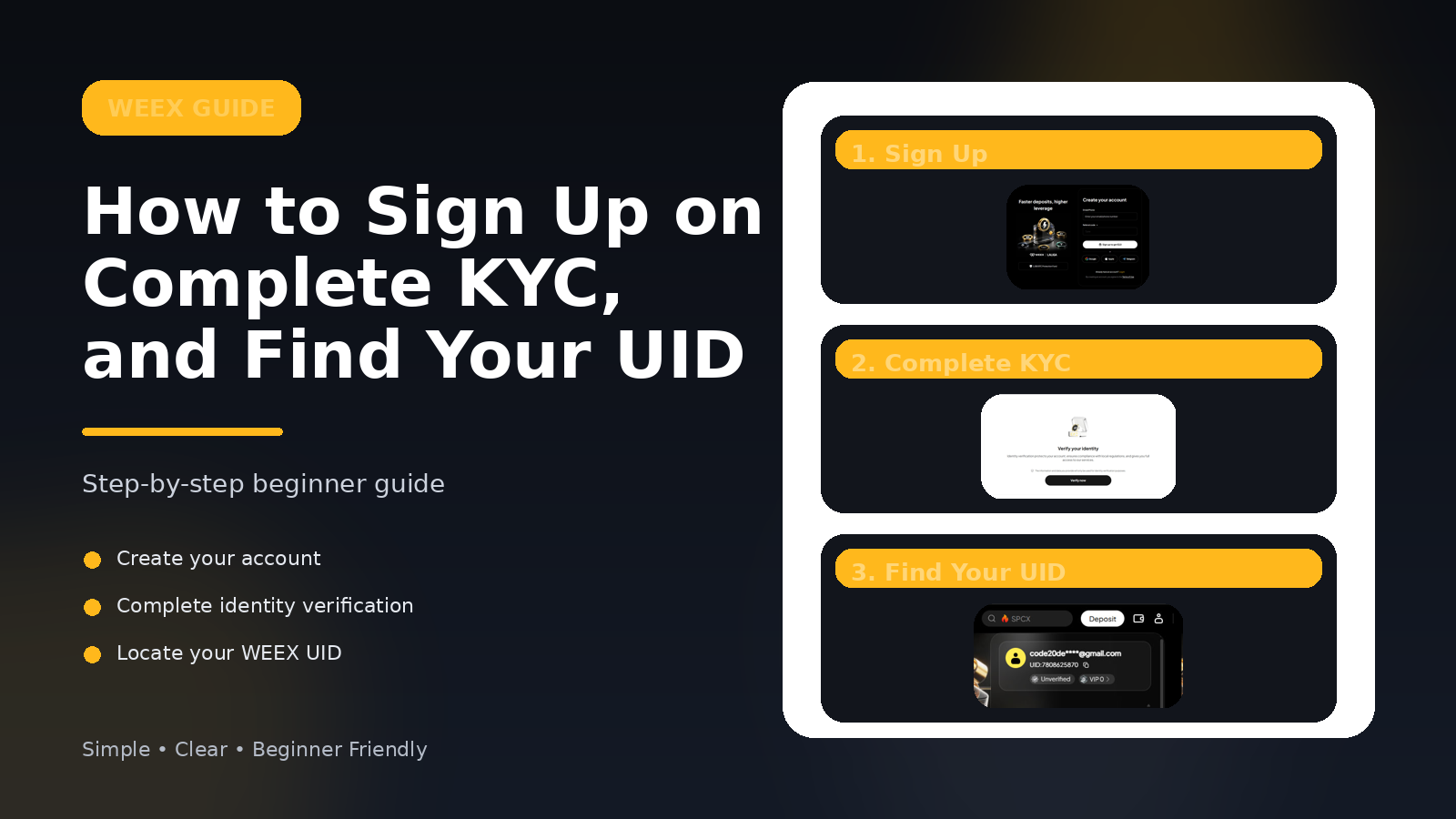
How to Register on WEEX, Find Your UID, and Submit It on RefReward
RefReward helps users track WEEX referral rewards after UID submission and manual approval.
In this guide, you will learn how to:
- Sign in to RefReward
- Register on WEEX through the official RefReward referral link
- Complete WEEX KYC before submitting your UID
- Find your WEEX UID
- Submit your WEEX UID and BEP20 wallet address on RefReward
- Track your account reward and referral rewards
RefReward currently has two reward types:
- 1 USDT for your approved WEEX UID submission
- 5 USDT for every 5 valid approved referrals
A referral counts only after the invited user submits a WEEX UID and gets approved.
What You Need Before Starting
Before you begin, make sure you have:
- A Google account to sign in to RefReward
- An email address or phone number for WEEX registration
- Access to your WEEX account
- Your WEEX UID
- A BEP20 wallet address on BNB Smart Chain
You do not need to deposit funds to submit your RefReward application, but WEEX KYC is required before rewards can be approved.
Step 1: Sign In to RefReward
First, open RefReward and sign in with Google.
After signing in, you will be taken to your dashboard.
Your dashboard includes:
- Your WEEX UID submission form
- Your personal referral link
- Your referral progress
- Your reward and payout history
This is where you submit your WEEX UID and track your rewards after admin review.
Step 2: Register on WEEX Through the RefReward Link
On your RefReward dashboard, click the official WEEX referral button.
This opens the WEEX registration page.
Create your WEEX account using one of the available sign-up methods, such as email, phone number, or another supported login option.
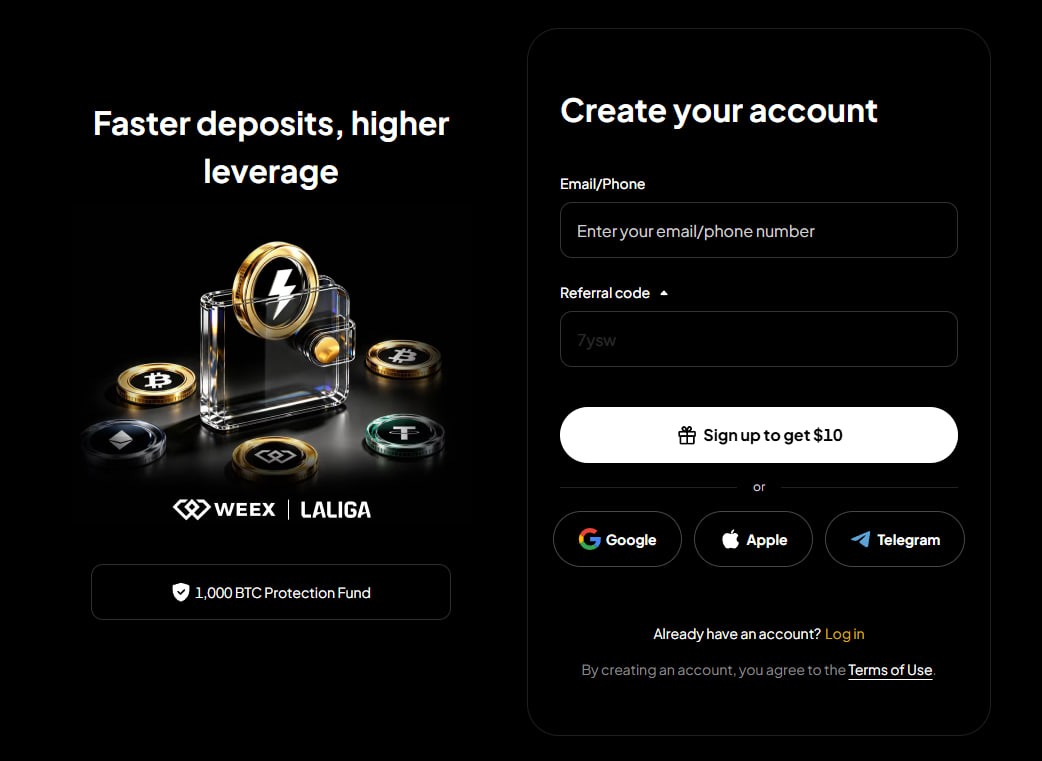
Important: To qualify for RefReward, you should register through the official WEEX referral link shown on RefReward.
Registrations made outside the required referral flow may be rejected during manual review.
Step 3: Complete WEEX KYC
After creating your WEEX account, complete WEEX KYC before submitting your RefReward application.
Registration alone does not qualify for rewards. Your account must complete WEEX KYC so admin review can approve the UID submission.
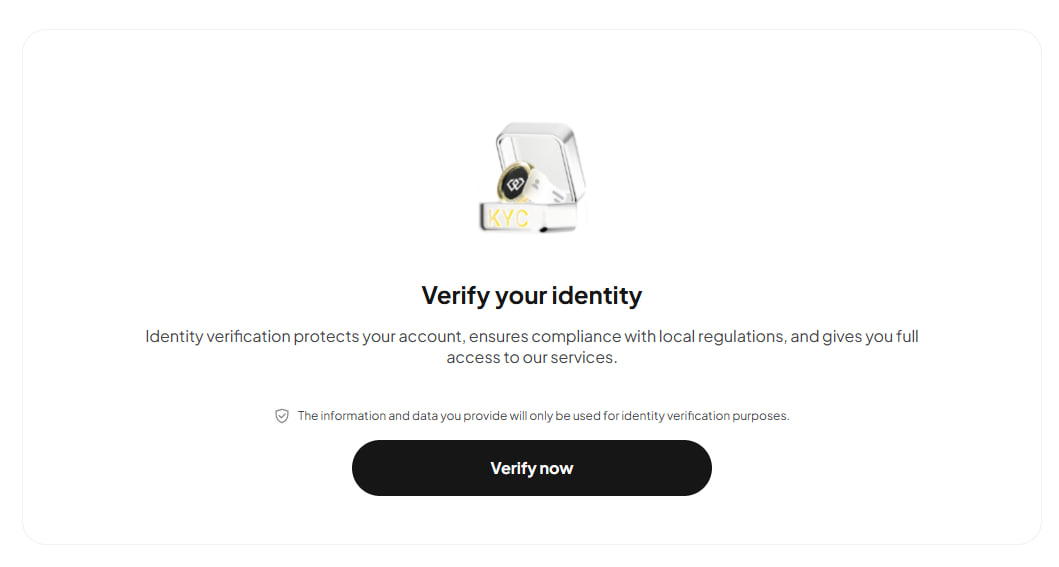
WEEX KYC may include:
- Email or phone confirmation
- Personal information
- Identity document
- Face verification or selfie check
For RefReward, the key requirement is that your WEEX account is KYC verified and your UID can be checked during manual review.
Step 4: How to Find Your WEEX UID
Your WEEX UID is your unique user ID on WEEX.
RefReward uses your UID to verify your WEEX account and connect your approved submission to your reward.
To find your UID:
- Log in to your WEEX account
- Open your account or profile menu
- Look for the section where your email and account details are shown
- Find the UID displayed under or near your email address
- Copy the UID carefully
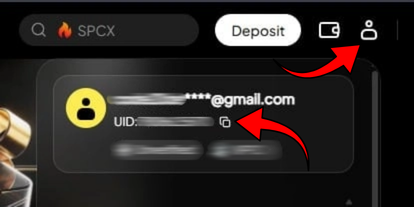
Make sure you copy the full UID without missing any numbers.
Do not enter your email address instead of your UID. RefReward needs your WEEX UID, not your email.
Step 5: Submit Your WEEX UID on RefReward
After finding your WEEX UID, return to your RefReward dashboard.
In the WEEX UID submission form, enter:
- Your WEEX UID
- Your BEP20 wallet address
Your BEP20 wallet address must be on BNB Smart Chain. This is the wallet address where approved rewards can be sent.
Before submitting, double-check:
- Your UID is correct
- Your wallet address is correct
- Your wallet supports BEP20 / BNB Smart Chain
- There are no extra spaces or missing characters
Incorrect UID or wallet information may cause your submission to be rejected.
Step 6: Wait for Manual Review
After submitting your UID and wallet address, your application is reviewed manually.
The admin checks whether:
- WEEX KYC is complete
- The WEEX UID is valid
- The UID has not already been used
- The account matches the required referral flow
- The wallet address format is valid
- There are no duplicate or abuse signals
If your WEEX KYC and submission are approved, your 1 USDT account reward is created and added to the payout queue.
If your submission is rejected, you may need to submit corrected information.
Step 7: Share Your Referral Link
Every RefReward user gets a personal referral link.
You can find your referral link inside your dashboard.
Share this link with people who want to join WEEX through RefReward.
A referral becomes valid only when the invited user:
- Opens your referral link
- Signs in to RefReward
- Registers on WEEX through the required referral flow
- Completes WEEX KYC
- Submits their WEEX UID and BEP20 wallet address
- Gets approved by admin review
Simple sign-ups do not count as valid referrals. Only KYC-completed and approved users count toward referral rewards.
Step 8: How Referral Rewards Work
Referral rewards are milestone based.
For every 5 valid approved referrals, you earn a 5 USDT referral reward.
Examples:
- 5 valid referrals = 5 USDT
- 10 valid referrals = another 5 USDT
- 15 valid referrals = another 5 USDT
Your dashboard shows your current referral progress, including total invites, valid referrals, milestones, and payout status.
Step 9: Track Your Rewards and Payouts
You can track your rewards from the RefReward dashboard.
The payout history section shows:
- Account rewards
- Referral milestone rewards
- Queued payouts
- Sent payouts
- Transaction details when available
Rewards are created only after admin approval.
If a payout is sent on-chain, you can use the transaction link in your dashboard to view it on the block explorer.
Important Rules
Please follow these rules carefully:
- Use the official WEEX referral link from RefReward
- Complete WEEX KYC before submitting
- Submit your real WEEX UID
- Do not submit someone else’s UID
- Do not reuse a UID that was already approved
- Use a valid BEP20 wallet address
- Do not submit a wallet address from the wrong network
- Do not share your password, private keys, seed phrase, or verification codes with anyone
RefReward will never ask for your wallet private key or seed phrase.
Quick Summary
To use RefReward:
- Sign in to RefReward with Google
- Open the official WEEX referral link
- Register on WEEX
- Complete WEEX KYC
- Find your WEEX UID
- Submit your UID and BEP20 wallet address on RefReward
- Wait for admin approval
- Receive your 1 USDT account reward after KYC and admin approval
- Share your referral link
- Earn 5 USDT for every 5 valid approved referrals
RefReward is designed to make WEEX referral rewards easier to track, verify, and manage from one dashboard.
Final Note
Always make sure you are using the official WEEX website or app and the official RefReward dashboard.
Do not share your WEEX password, verification codes, wallet private key, or seed phrase with anyone.
Related guides
Further Reading
- How to Find Your BEP20 Wallet Address in MetaMaskGuides / Updated Jun 20, 2026